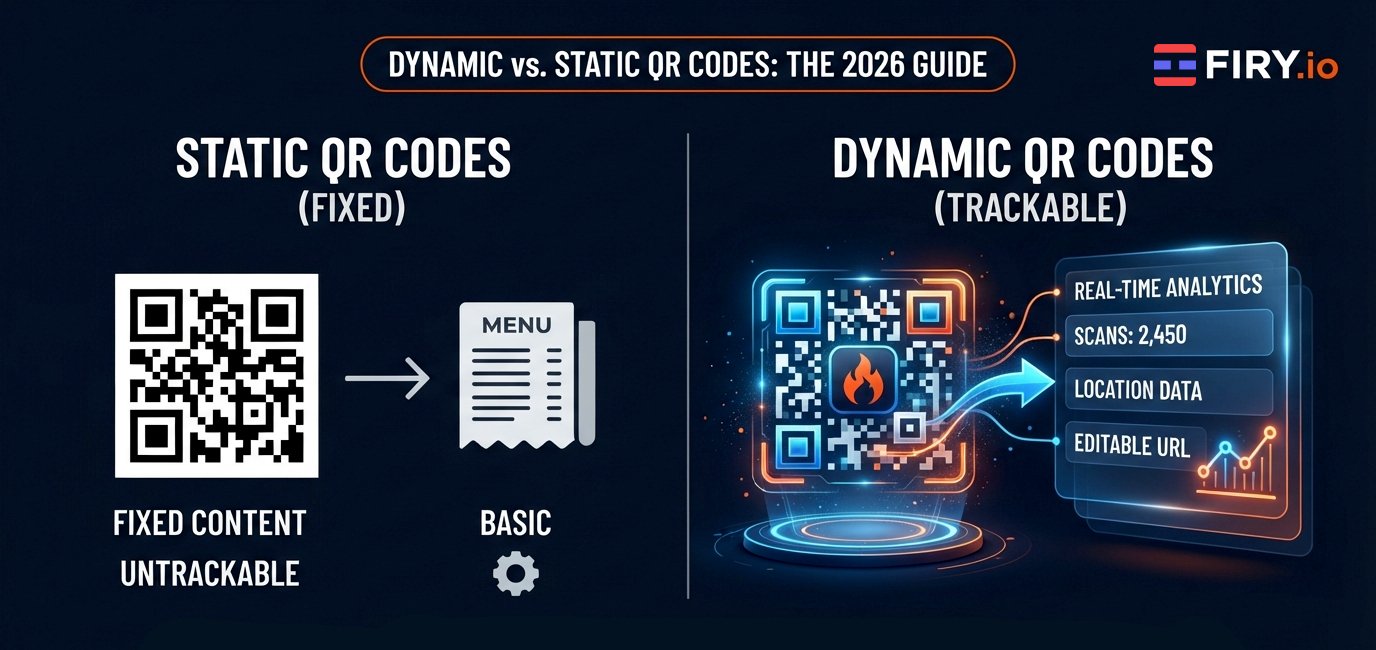
You've seen QR codes everywhere: restaurant tables, product packaging, business cards, event posters. Most of the people who print them never find out whether anyone scanned them. Picking the right type of QR code decides whether you can track scans and fix mistakes, or whether a typo means reprinting 5,000 flyers.
This guide explains the difference between static and dynamic QR codes, when to use each, how to build a trackable QR code step by step, and the design rules that make a code scan on the first try.
Key Takeaways
- Static QR codes store the data directly in the pattern. They're free and permanent, but you can't edit or track them.
- Dynamic QR codes point to a short link you control. You can change the destination at any time and see every scan.
- Use dynamic QR codes for anything printed, anything marketing-related, or anything you want to measure.
- Add UTM parameters so QR traffic shows up as its own channel in Google Analytics.
- Test before you print, keep high contrast and a clear border, and monitor the destination page so a scan never lands on an error.
What is a static QR code?
A static QR code stores its content directly in the black-and-white pattern. When someone scans it, their phone reads the data straight from the code: a URL, a plain-text message, WiFi login details, a phone number.
That has a few consequences:
- It can never be changed. The data is the pattern, so a new URL means a new code.
- It can't be tracked. No server sits between the scan and the content, so nobody counts the scans.
- It gets denser as you add data. A long URL with tracking parameters produces a crowded pattern that's harder to scan, especially when printed small.
- It works forever, as long as the content it contains (like a website address) still exists.
Static codes are fine for things that never change, such as a WiFi password on the office wall or a serial number on equipment.
What is a dynamic QR code?
A dynamic QR code doesn't store your final destination. It stores a short link (for example firy.io/menu), and that short link redirects to wherever you choose. The pattern itself stays the same, but you can change what happens behind it at any time.
Because every scan passes through the short link first, you get:
- Editable destinations: fix a typo, swap a seasonal menu, or point an old flyer at a new campaign, all without reprinting.
- Scan analytics: number of scans, location, device, operating system, browser, and time of day.
- Cleaner, sparser codes: a short URL makes a simpler pattern that scans faster and from farther away.
- Extra controls: expiration dates, scan limits, password protection, and retargeting pixels.
If you're new to how short links work, start with our explainer: What are Bio Links and Short URLs?
Static vs. dynamic QR codes: side-by-side comparison
| Feature | Static QR code | Dynamic QR code |
|---|---|---|
| Edit destination after printing | No | Yes |
| Scan tracking & analytics | No | Yes |
| Pattern density | Grows with the amount of data | Always compact (short URL) |
| UTM / campaign attribution | Possible, but makes the code denser | Built in, without changing the code |
| Expiration, scan limits, password | No | Yes |
| Retargeting pixels | No | Yes |
| Works without internet | Yes, for offline data like WiFi or text | Needs a connection for the redirect |
| Best for | WiFi access, fixed info, internal labels | Marketing, print, packaging, events, menus |
Which one should you use?
Choose a static QR code when…
- The content will never change (WiFi credentials, a serial number)
- You don't need to know how many people scan it
- The code needs to work offline
Choose a dynamic QR code when…
- It's going on anything printed: flyers, posters, packaging, signage
- You want to measure a campaign or compare locations
- The destination might change (menus, promotions, events)
- You want to retarget people who scanned
Rule of thumb: if printing the code costs money, make it dynamic. Editing a link later costs nothing, and reprinting costs a lot.
How to create a trackable QR code in 7 steps
Here's the full workflow, from an empty page to a QR code you can measure, using the free tools in the FIRY ecosystem.
Step 1: Build a mobile-friendly destination
Almost every QR scan happens on a phone, so the page it opens has to load fast and read well on a small screen. Two quick options:
- A link-in-bio page when you want to offer several choices (menu, booking, socials, reviews).
- A one-page site made with FIRY Builder, a drag-and-drop editor that exports clean, responsive HTML in minutes, with no code or account required.
Step 2: Add UTM parameters
UTM tags tell Google Analytics exactly where a visit came from. Without them, QR traffic usually shows up as "direct," which tells you nothing. Use the free UTM link generator and follow a consistent naming pattern, such as:
https://yoursite.com/spring-offer?utm_source=flyer&utm_medium=qr&utm_campaign=spring_2026Use a different utm_source for each placement (flyer, poster_store_1, packaging) so you can see which one performs best.
Step 3: Shorten the link and generate the QR code
Paste the UTM-tagged URL into FIRY as a short link, then generate the QR code from that link. Your long tracking URL stays out of the pattern, so the code stays compact and easy to scan, and you can change the destination later.
Step 4: Brand the design
Add your logo, brand colors, and a frame with a call to action like "Scan for 10% off." Branded codes look more trustworthy than plain black squares, and a clear CTA gives people a reason to scan. Follow the design rules below so the styling doesn't hurt readability.
Step 5: Test on real devices before you print
Scan the code with at least one iPhone and one Android phone, in good light and in dim light, from the real viewing distance. Then double-check the technical side:
- Use the QR code reader to confirm the code decodes to the right short link.
- Run the short link through the URL redirect checker to make sure it reaches the final page cleanly, without redirect chains.
- Check the destination with the safe URL checker so phones don't show security warnings.
Step 6: Monitor the destination page
This step gets skipped all the time. A printed QR code can be in circulation for months, and if the page it points to goes down, every scan during that time is a lost customer, and you won't hear about it. Set up a free uptime monitor on FIRY ORB for the destination URL so you get an alert by email, Slack, Discord, or Telegram as soon as the page stops responding. ORB can also remind you before your domain or SSL certificate expires, which are two common reasons a QR code "suddenly stops working."
For more on why this matters for search rankings too, read From Broken Links to Perfect Uptime.
Step 7: Measure and optimize
Once the code is live, check its analytics in FIRY: total scans, countries and cities, devices, referrers, and the hours people scan most. Compare placements, move posters that underperform, and A/B test different destination pages behind the same printed code.
QR code design rules that guarantee scans
A good-looking QR code that won't scan is worse than useless. Follow these rules:
- Mind the size. For close-range print like business cards and labels, don't go below about 2 × 2 cm (0.8 in). For posters and signs, a common rule of thumb is a code roughly one tenth of the scanning distance, so a sign read from 2 m needs a code about 20 cm wide.
- Keep strong contrast. Dark modules on a light background work best. Avoid light-on-dark (inverted) codes and pastel-on-white color pairs, because some scanners struggle with them.
- Respect the quiet zone. Leave an empty margin around the code, ideally about four modules (the small squares) wide. Text or images too close to the edge break detection.
- Choose the right error correction. QR codes can still be read when partly damaged or covered. Higher error correction makes the pattern denser, but it lets you place a logo safely (see the table below).
- Keep the logo modest. Center it, keep it small, and pair it with a higher error correction level. Never cover the three large corner squares.
- Always add a call to action. "Scan to book," "Scan for the menu," "Scan to save our contact." People scan more when they know what they'll get.
- Print on matte surfaces when you can. Glossy finishes and reflective materials create glare that confuses cameras.
| Level | Recovery capacity | Best for |
|---|---|---|
| L (Low) | ~7% | Clean digital screens, maximum simplicity |
| M (Medium) | ~15% | Most everyday print uses |
| Q (Quartile) | ~25% | Codes with a small logo, outdoor print |
| H (High) | ~30% | Codes with a larger logo, packaging, harsh environments |
Common QR code mistakes to avoid
- ❌ Printing a static code for a marketing campaign. You'll never know whether it worked, and you can't fix it.
- ❌ Linking to a desktop-only page. Tiny text and slow load times on mobile make people leave right after they scan.
- ❌ Using a free generator that adds its own redirect. Some services expire your codes or put ads in front of them unless you pay. Use a platform where you own the short link, ideally on your own custom domain.
- ❌ Letting the domain or SSL certificate expire. Every printed code instantly becomes a dead end or a browser warning.
- ❌ Putting QR codes where there's no signal. Subway tunnels and basements need offline-friendly content or a static code.
- ❌ Skipping the test print. Colors and sizes that look fine on screen can fail on paper.
QR code types you can create with FIRY
A QR code doesn't have to open a website. Depending on the goal, you can choose a type that does the job in one tap:
- URL: send people to any web page, bio link, or landing page (tracked as a short link).
- vCard: save your full contact details to their phone, which makes it a perfect fit for business cards.
- WiFi: let guests join your network without typing a password.
- Calendar event: add a webinar, appointment, or event to their calendar.
- Location: open your address directly in maps.
- Payment: speed up checkout or donations.
- File & event links: share a downloadable brochure, price list, or ticket page.
Since all of these live in the same FIRY account as your short URLs and bio pages, your offline and online marketing data stays in one dashboard. Analytics are designed to be GDPR, CCPA, and PECR compliant, which matters if you market to customers in the EU or UK.
Frequently asked questions
Can I change a QR code after it's printed?
Only if it's a dynamic QR code. A dynamic code points to a short link, so you can update the destination at any time and the printed code keeps working. A static code can't be changed. You'd have to create and print a new one.
Do QR codes expire?
The pattern itself never expires. A static code works as long as the content it contains still exists. A dynamic code works as long as the short link stays active, which is why it matters to use a provider you trust and to keep your domain and destination pages monitored.
How do I track how many people scanned my QR code?
Create a dynamic QR code from a trackable short link. Every scan is recorded with details like location, device, and time. For deeper attribution, add UTM parameters to the destination URL so the visits also appear as a separate source in Google Analytics.
Can I put my logo in a QR code?
Yes. Keep the logo small and centered, don't cover the three corner squares, and use a higher error correction level (Q or H) so the code still scans with part of it covered.
What size should a printed QR code be?
For items held in the hand, like business cards and product labels, aim for at least 2 × 2 cm (0.8 in). For signage, make the code roughly one tenth of the distance people will scan from. Always test a real print before a large run.
Are dynamic QR codes free on FIRY?
You can start for free. See the pricing page for current plan limits on QR codes, links, and analytics.
Conclusion
Static QR codes are simple and permanent, and that's exactly why they're the wrong choice for most businesses. A dynamic, trackable QR code lets you fix mistakes, measure results, retarget scanners, and reuse the same print material for new campaigns. Pair it with a fast mobile destination, clean UTM tracking, and an uptime monitor on the page, and every scan has a good chance of becoming a customer.
Create your first trackable QR code, free
Short links, branded QR codes, bio pages, and scan analytics in one place. No credit card needed.
FIRY-IT UP Monitor your pages with ORBRelated reading: 7 Best Linktree Alternatives in 2026 · Top 5 Tools Every Solopreneur Needs · Why Page Builders Are the Fastest Way to Build a Website