Create your bio page with AI
Bring your links, content, and calls to action together on one shareable page. The smart AI builder turns a few answers into a tailored starting point, so creating your bio link feels quick and easy.
Start a new bio page
- 1Open BioLink pages and select BioLink page.
- 2Choose Build it with AI for a guided setup, or select Start from scratch to assemble the page yourself.
- 3If you choose AI, pick the page goal that best matches what you want to share.
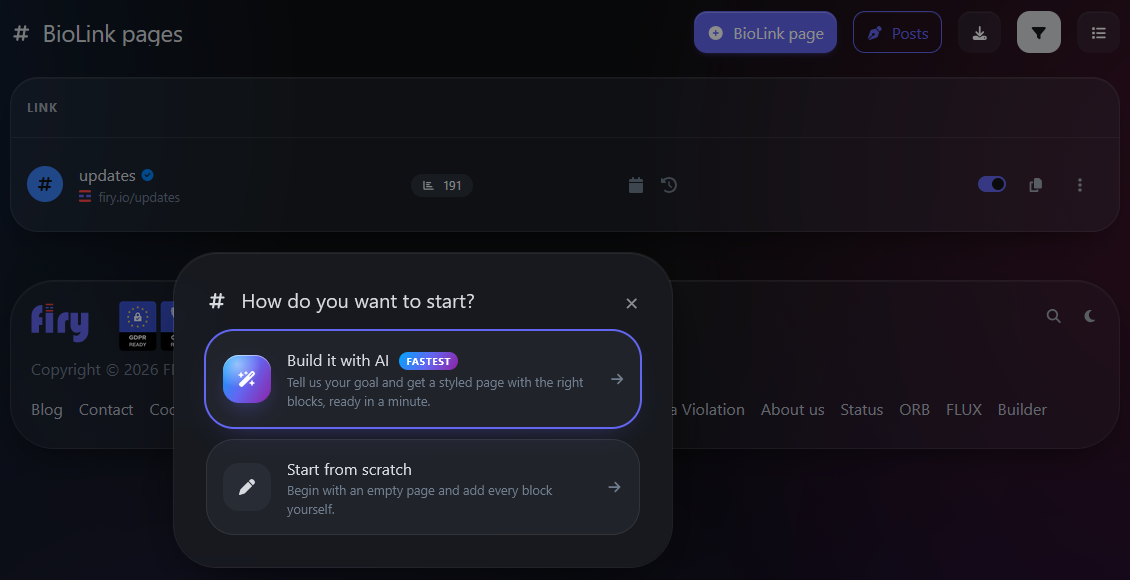
Let the AI builder shape a first draft
Choose the closest goal—such as creator, local business, musician, online shop, freelancer, coach, event, or personal page. Then answer the builder’s short questions. It uses your answers to suggest a style and a useful set of page blocks, while the live preview shows how the page is taking shape.
Choose blocks that support your goal
Depending on the page type, suggested blocks may include featured links, contact buttons, highlights, FAQs, announcements, email signup, a cover image, a countdown, sharing controls, or a video and music player. Keep the blocks that help visitors take the next step and remove anything that distracts from it.
Personalize, preview, and publish
The AI-generated page is a starting point. Review the copy, links, images, and calls to action, then adjust the design and blocks to fit your voice. Check the live preview on a phone-sized screen, test every destination, and publish when everything looks right. Share the resulting BioLink URL in your social profiles and campaigns.
Quick launch checklist
- Your page goal and opening message are clear.
- The most important link or action is easy to find.
- Links, signup forms, and contact actions work.
- The mobile preview is readable and uncluttered.
- You have published the page and copied its share URL.